Professional MT5 Trading Indicators & Forex Robots
Make clearer trading decisions with professional indicators and automated tools designed to help you analyze markets, identify opportunities, and apply your strategy with greater discipline.
Everything You Need for Smarter Trading, in One Place For Forex and Gold Markets
Explore professional trading indicators, automated robots, custom indicator and Expert Advisor development, and structured market signals—built to help traders follow the market with greater clarity and discipline.
Trading Indicators
Professional tools for analyzing gold and forex, filtering signals, and identifying clearer entry and exit zones.
- XAUUSD Gold Scalping Indicators
- Buy and Sell Signals After Candle Close
- Platform and Mobile Alerts
Forex Robots
Automated MT5 trading robots that apply strategies using defined technical filters and transparent risk controls.
- Expert Advisors for MetaTrader 5
- Lot Size, Stop-Loss and Take-Profit Controls
- No Martingale or High-Risk Grid Strategies
Custom Development
Have a trading strategy of your own? We can turn clear, testable rules into a custom indicator or Expert Advisor built around your requirements.
- Custom Trading Indicator Development
- Automated Trading Robot Development
- Professional Alerts and Control Panels
Trading Signals
Structured trading signals with clear entry, stop-loss and target details, supported by practical risk-management guidance.
- Signals for Gold and Forex
- Clear Entry Levels and Targets
- Organized Tracking of Key Opportunities
Professional Trading Robots
-

Pips Robot Funded Guard EA
An MT5 funded account risk manager that monitors daily loss, drawdown, exposure and trading limits, then applies your predefined protection…
★★★★★★★★★★(0) 199,00 $ Buy Now -

Pips Robot Multi-Pair Swing Engine EA
A multi-pair swing EA for MT5 that scans a configurable forex watchlist from one chart and manages confirmed medium-term setups…
★★★★★★★★★★(0) 299,00 $ Buy Now -

Pips Robot Gold Liquidity Hunter EA
An XAUUSD gold liquidity trading robot for MT5 that combines liquidity sweeps, market-structure confirmation and configurable session and risk filters.
★★★★★★★★★★(0) 279,00 $ Buy Now -

Pips Robot Gold Pulse Scalper EA
An XAUUSD gold scalping EA for MT5 M5 that combines Bollinger Bands, EMA, RSI and ATR filters with configurable spread,…
★★★★★★★★★★(0) 229,00 $ Buy Now
Professional Trading Indicators
-

Pips Robot Gold Session Radar
An XAUUSD session indicator for MT5 that marks Asian, London and New York ranges, previous highs and lows, liquidity levels…
★★★★★★★★★★(0) 169,00 $ Buy Now -

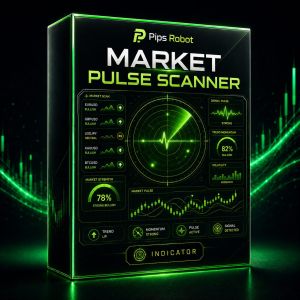
Pips Robot Market Pulse Scanner
A multi-pair market scanner for MT5 that ranks forex, gold and supported symbols by configurable trend, momentum, volatility and timeframe…
★★★★★★★★★★(0) 179,00 $ Buy Now -

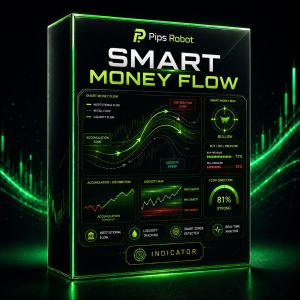
Pips Robot Smart Money Flow
A smart money concepts indicator for MT5 that maps BOS, CHoCH, order blocks, fair value gaps and configurable liquidity zones…
★★★★★★★★★★(0) 189,00 $ Buy Now -
Sale!

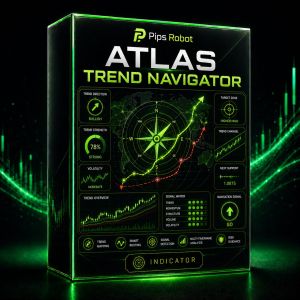
Pips Robot Atlas Trend Navigator
An MT5 trend indicator that combines direction, momentum and volatility filters to highlight structured market states and configurable trade alerts.
★★★★★★★★★★(0)260,00 $Original price was: 260,00 $.179,00 $Current price is: 179,00 $. Buy Now
Trade with Greater Clarity
We Build Smarter, Clearer Trading Tools
Pips Robot combines artificial intelligence and technical analysis in trading indicators and robots designed to support clearer decisions and a more disciplined trading process.
Clearer Market Trend Analysis
Our tools combine AI and technical analysis to identify trends, monitor signals, and reduce guesswork in trading decisions.
Years Developing Smart Trading Tools
Trading Tools and Indicators Built
Documented Tool Updates and Improvements
Traders Using Pips Robot Solutions
AI-Powered Trading Tools
Professional Trading Indicators and Robots
Pips Robot indicators helped me see market opportunities more clearly, and the alerts are fast and easy to understand. I especially value the organized experience and responsive support whenever I have a question.
The trading robots save me a great deal of time monitoring trades, and the setup was simple and clear. The signals are well organized and help me make calmer decisions with better risk management.
My experience with Pips Robot has been excellent, especially the indicator alerts and timely trading signals. The platform is easy to use, the explanations are clear, and the support team is helpful and quick to respond.
Smart SignalsProfessional Trading
Forex RobotsAI-Powered Analysis
Everything You Need to Know About Trading Indicators and Forex Robots
Clear answers about trading indicators, forex robots, MetaTrader 5, risk management, and choosing the right tool before using it on a trading account.
01 What is the difference between a trading indicator and a trading robot?
A trading indicator analyzes market data and displays signals, zones, or trends that support decision-making. A trading robot automatically executes predefined strategy rules when the required conditions are met.
The right choice depends on your approach: an indicator suits traders who prefer to review each decision, while a robot suits those who need consistent execution based on predefined rules.
02 Do Pips Robot tools work with MetaTrader 5?
Many Pips Robot indicators and robots are designed for MetaTrader 5, but requirements vary by product. Always check the product description for the supported platform, symbol, timeframe, and settings before purchasing or installing.
Do not use a file on an unsupported platform or timeframe unless you have confirmed that it is compatible.03 Can the indicators and robots be used for gold and forex trading?
It depends on the product. Some tools are built specifically for gold instruments such as XAUUSD, while others support selected forex pairs, markets, or timeframes. Using a tool outside its intended market may produce results that differ from its design and testing.
Browse our available trading tools and choose a product that matches the market you trade.
04 Do trading robots or indicators guarantee profits?
No trading tool can guarantee profits or prevent losses. Indicators and robots assist with analysis or execution, and results are affected by market movement, liquidity, spreads, settings, money management, and broker conditions.
Trading financial markets involves risk. Never risk money you cannot afford to lose.05 How should I test a trading robot before using it on a live account?
Start with a historical backtest in the MT5 Strategy Tester, then run the robot on a demo account long enough to observe its behavior in live market conditions. Monitor trade count, drawdown, spreads, stop-loss behavior, and position risk.
Past or demo results do not guarantee future performance. If you move to a live account, do so gradually and with limited risk.
06 Can I adjust risk, entry, and exit settings?
Available settings vary by product and may include lot size, risk percentage, stop loss, take profit, trading hours, and technical filters. Do not change settings at random; understand their impact and test them on a demo account first.
Use the appropriate settings file for your account and make sure the selected risk level suits your capital and acceptable loss limits.
07 Can you turn a custom strategy into an indicator or trading robot?
Yes. A strategy can be assessed and developed as an indicator or Expert Advisor when its entry, exit, and trade-management rules are clear and programmable, including indicator conditions, timeframes, stop losses, targets, and filters.
Learn more about our trading indicator and robot development service and send us your strategy details for an initial assessment.
08 Do I need a VPS to run a trading robot?
A VPS is not essential for testing, but it is useful when you need MT5 and the robot to run continuously without relying on your personal computer or home internet connection.
Choose a server close to your broker's server and make sure it has enough memory and processing power for the required platforms and robots.
09 How do I get support and updates after purchase?
When contacting support, keep your order details, product name, and MT5 version ready. If you encounter an issue, send a clear screenshot of the error, the Experts or Journal tab, and the settings used so the problem can be reviewed faster.
Contact us through Pips Robot support on Telegram .